
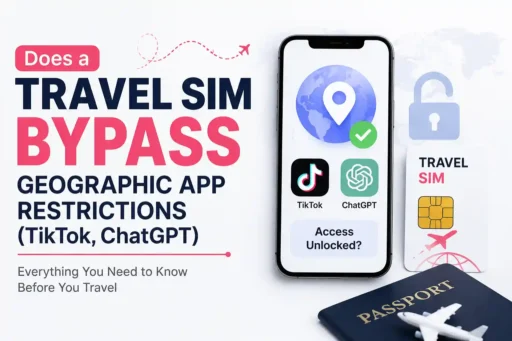


Does a Travel SIM Bypass Geographic App Restrictions?
Yes, a travel SIM can bypass geographic app restrictions for apps like ChatGPT and TikTok. Because international travel SIMs route your cellular data back through servers in the SIM provider’s home country, your phone receives an unrestricted IP address, bypassing local government and network firewalls natively.
When you travel across borders, your digital access changes the moment you land. Applications you rely on daily like ChatGPT for work or TikTok for entertainment are heavily restricted or entirely banned in specific countries.
Travelers usually assume they need to purchase a VPN to bypass these geographic blocks. But a modern travel SIM (particularly an eSIM) often solves this problem entirely on its own, without third-party software.
However, not all app restrictions are built the same. Bypassing ChatGPT requires a different technical mechanism than bypassing TikTok. Here is exactly how travel SIMs interact with restricted apps, and how to configure your phone to guarantee access.
The Answer Is Yes, But the How Depends on the App
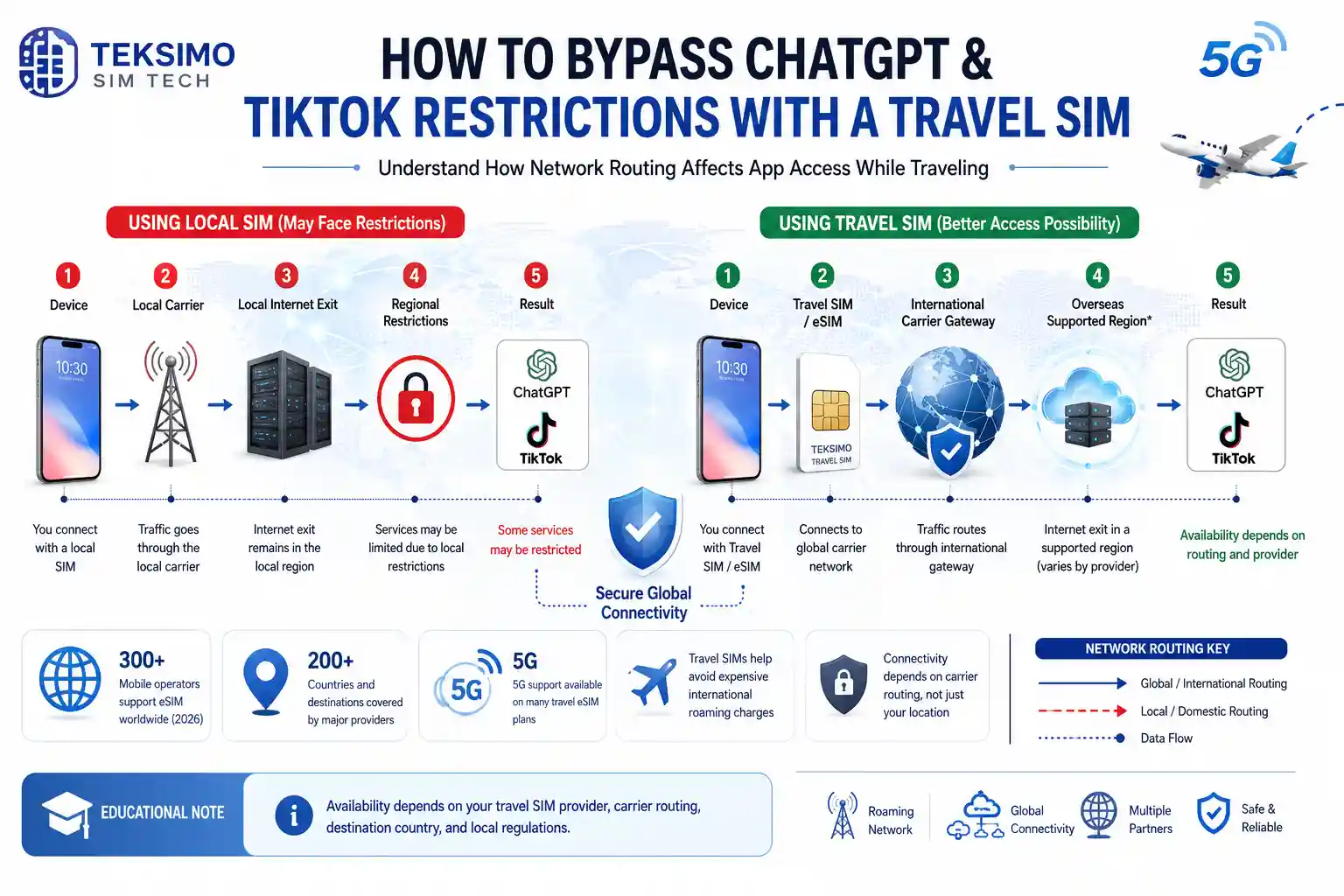
Travel SIMs successfully bypass app restrictions by altering your network identity. For IP-based blocks like ChatGPT, a travel SIM masks your location by routing traffic through its home country. For hardware-level blocks like TikTok, the travel SIM alters the Mobile Country Code your device broadcasts.
To understand why a travel SIM works, you have to understand how apps know where you are. Apps use three primary methods to determine your location:
- IP Address: The network location of your internet connection.
- GPS Data: The physical satellite coordinates of your device.
- Hardware Identifiers: The Mobile Country Code (MCC) hardcoded into your physical SIM card.
How Data Roaming Bypasses IP Restrictions
When you buy a travel eSIM from a global provider (like Airalo or Holafly) and use it in a restricted country like China or the UAE, your data does not exit directly into the local internet grid.
Instead, cellular roaming utilizes a Packet Data Network Gateway (PGW). Your mobile data is encrypted, tunneled out of the restricted country, and routed back to the SIM provider’s home servers, often located in Europe or the United States.
Because your data exits the network in an unrestricted country, apps see an unrestricted IP address. The local firewall (like the Great Firewall of China) is completely bypassed.
How to Bypass ChatGPT Restrictions with a Travel SIM
You can easily bypass ChatGPT restrictions using an international travel SIM. OpenAI relies strictly on IP address filtering to block users in unsupported regions. Because an international travel SIM routes your data through an unrestricted home-country gateway, ChatGPT sees an approved IP address and grants full access.
Why ChatGPT Blocks Access Abroad
OpenAI restricts access to ChatGPT in several regions, including China, Russia, Iran, and periodically in parts of Europe due to privacy regulatory disputes.
ChatGPT is relatively simple in its restriction methodology. It looks exclusively at your IP address. If your IP address registers to a server in Hong Kong, OpenAI denies the connection and returns an access error.
The Travel SIM Solution for OpenAI
An international travel SIM is the perfect solution for ChatGPT. If you purchase a global or regional eSIM based in Europe or the US, your internet traffic is tunneled out of the restricted region.
You do not need to turn off your location services, and you do not need to remove your physical home SIM. As long as the active cellular data connection is being provided by the international travel SIM, ChatGPT will function exactly as it does at home.
How to Bypass TikTok Restrictions with a Travel SIM
Bypassing TikTok restrictions with a travel SIM is possible but requires a specific setup. Unlike other apps, TikTok ignores your IP address and checks your SIM card’s Mobile Country Code (MCC). To unlock TikTok, you must use an unrestricted travel SIM and completely disable any banned local SIMs.
The TikTok Mobile Country Code (MCC) Trap
TikTok is notorious for being incredibly difficult to unblock. If you travel to India (where the app is banned) or use a device with restrictions, a standard VPN will fail.
This is because ByteDance (TikTok’s parent company) engineered the app to ignore your IP address and GPS. Instead, the app directly queries your phone’s cellular modem to read the Mobile Country Code (MCC) of your inserted SIM card.
If TikTok detects an MCC from a banned region, the app refuses to load the video feed. It will show a “no connection” error, even if you have perfect Wi-Fi.
Step-by-Step: Making TikTok Work with an eSIM
Because TikTok reads the hardware, a travel eSIM can unlock the app, but only if you execute this specific sequence:
- Install the Travel eSIM: Ensure the travel SIM is from a non-restricted country (e.g., a US or UK-based eSIM profile).
- Remove or Disable the Local SIM: This is the critical failure point for most travelers. If you leave a local, restricted physical SIM in your phone alongside your travel eSIM, TikTok will detect the restricted MCC and block you. You must physically remove the restricted SIM or toggle it completely off in your device settings.
- Clear the App Cache: Go to your phone settings and clear the cache data for TikTok.
- Launch on Cellular Data: Open the app using the travel SIM’s cellular data connection. The app will read the approved MCC of the travel SIM, and the feed will load.
Travel SIM vs. VPN: Which Do You Actually Need?
You often do not need a VPN if you are using an international travel SIM. Because travel SIMs naturally tunnel your data back to unrestricted home networks, they act as a hardware-level VPN. However, a traditional VPN is still required if you connect to local hotel Wi-Fi.
Many travelers double-pay for security they don’t need. Here is how the two technologies compare for bypassing restrictions:
| Feature | International Travel SIM | Traditional VPN Software |
| Bypasses IP Blocks (ChatGPT) | Yes (inherent data routing) | Yes (software routing) |
| Bypasses Hardware Blocks (TikTok) | Yes (provides a new MCC) | No (cannot hide the physical SIM) |
| Protects Hotel Wi-Fi | No (only protects cellular data) | Yes (encrypts local Wi-Fi connections) |
| Defeats Deep Packet Inspection | High success rate | Mixed (firewalls often block VPNs) |
If you plan to rely entirely on cellular data during your trip, a high-quality travel eSIM eliminates the need for a VPN. However, if you plan to work from cafes or hotel Wi-Fi networks in restricted countries, you must maintain a VPN subscription, as the travel SIM cannot protect external Wi-Fi connections.
The 4-Step Checklist for Unblocking Apps Abroad
To successfully unblock apps abroad, install an international travel eSIM before departure, disable any physical SIM cards from restricted countries, turn off your device’s GPS location services, and rely solely on your eSIM cellular data rather than local Wi-Fi networks.
Before you board your flight, follow this exact protocol to guarantee you retain access to your necessary applications:
Buy a Roaming-Based eSIM: Avoid buying local SIM cards at the destination airport. Local SIMs subject you to local government firewalls. Buy an international eSIM before you leave.
Toggle Off Primary SIMs: If your primary SIM is subject to restrictions, go into your iPhone or Android cellular settings and toggle that line off completely.
Disable GPS for Target Apps: Go to your app permission settings and revoke GPS location access for TikTok, ChatGPT, or any other restricted application. Force them to rely solely on your network data.
Avoid Captive Wi-Fi Portals: Public Wi-Fi networks in restricted countries enforce local DNS blocks. Stay on your travel SIM’s cellular data when accessing sensitive or banned applications.
Limitations and Hidden Risks of Data Roaming
The main limitation of using a travel SIM for app access is latency and cost. Because your data is physically routed back to a home-country server before reaching the app, ping times increase. Additionally, high-bandwidth apps like TikTok consume expensive roaming data rapidly.
While travel SIMs are technically superior for bypassing blocks, they come with physical limitations. If you are in Tokyo using a US-based eSIM, every single request travels from your phone, across the Pacific to a US server, out to ChatGPT, and all the way back.
This routing introduces significant latency. While you won’t notice this when generating text on ChatGPT, you will feel it during WhatsApp video calls or fast-paced online gaming. Furthermore, scrolling TikTok on an eSIM data plan will burn through a 3GB data cap in a matter of hours. Use your travel SIM strategically for blocked apps, and rely on local Wi-Fi for heavy, unrestricted downloads.