
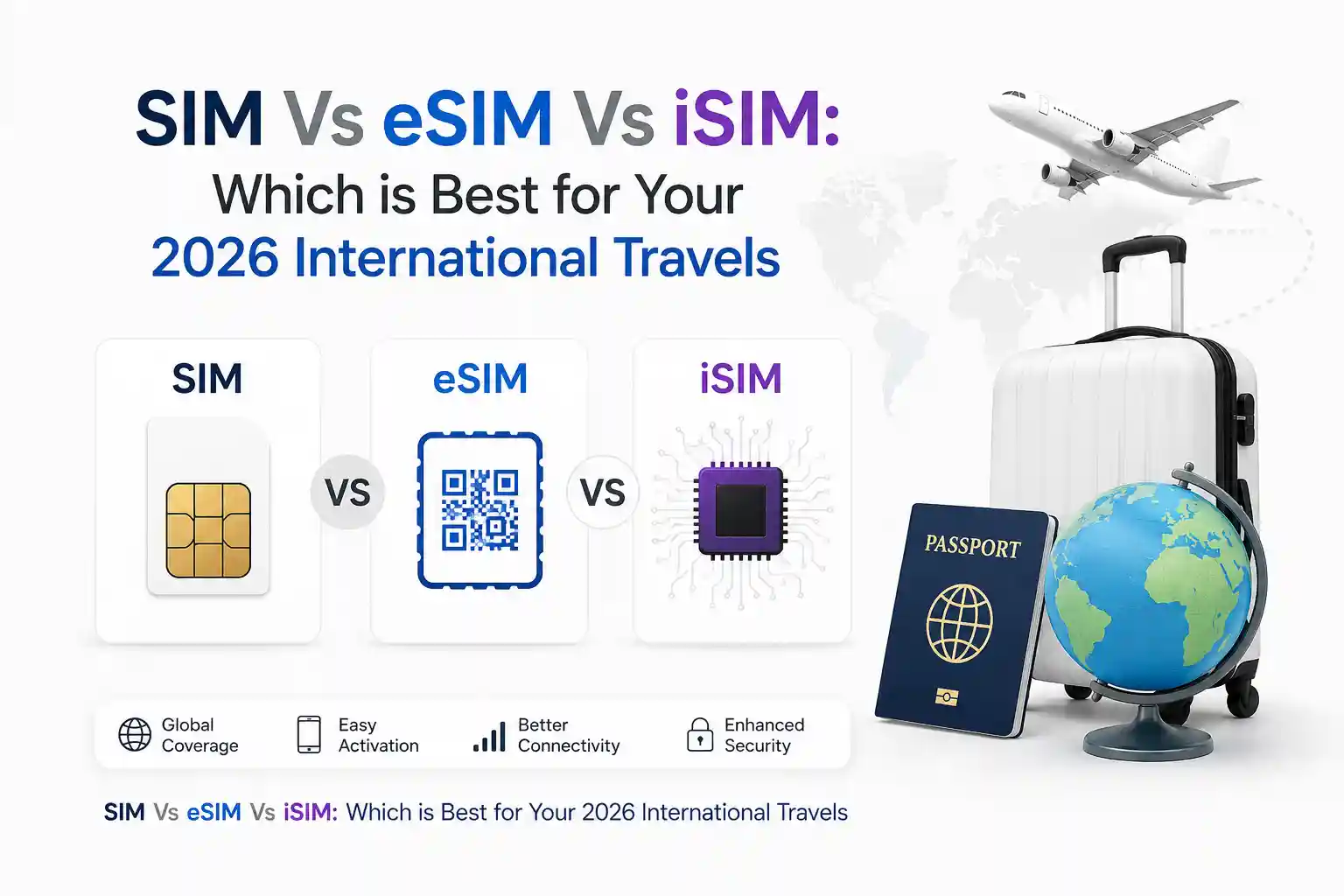

SIM vs eSIM vs iSIM: Which Works Best for International Travel in 2026
For most international travelers in 2026, eSIM offers the best balance of flexibility and reliability, if your device and destination carrier support it. Physical SIMs remain the fallback for older phones or regions with limited eSIM infrastructure. iSIM is promising but still emerging; useful mainly for IoT or specific flagship devices.
Need to decide now?
- Traveling to the US/UK/EU/JP/AU with a 2023+ phone? → eSIM
- Going to Southeast Asia, Africa, or rural areas? → Carry a physical SIM backup
- Using an iPhone 15/16 or Pixel 8/9? → eSIM-only workflows work reliably
- On an older Android or budget device? → Physical SIM + eSIM hybrid is safest
What’s Actually Different Between SIM, eSIM, and iSIM?
Let’s cut through the marketing. All three do the same core job: authenticate your device to a mobile network. The difference is where that credential lives and how it gets there.
Physical SIM: The Known Quantity
A removable chip. You swap it, you swap networks. Simple. But that physical act creates friction when you’re at an airport counter at 2 AM trying to activate a local data plan. The card can bend. The tray can stick. And if your phone is eSIM-only (looking at you, iPhone 15 US models), it’s not an option at all.
eSIM: Software-Defined, But Not Magic
Embedded SIM. The chip is soldered in. Profiles download over the air via QR code or carrier app. Sounds seamless—and it often is. But “over the air” depends on: your device’s LPA (Local Profile Assistant), the carrier’s SM-DP+ server responding, and your current network allowing the provisioning traffic. When any link breaks, the QR code just spins.
At the network level, eSIM provisioning uses the GSMA’s SGP.22 standard. In practice, that means your phone requests a profile, the carrier’s system validates your eligibility (IMEI, region, account status), and then pushes an encrypted profile. If your device clock is off by more than a few minutes? The TLS handshake can fail silently. That’s why some activations work on Wi-Fi but stall on cellular—the provisioning server rejects the request due to a timestamp mismatch.
iSIM: Integrated, But Not Yet Ubiquitous
iSIM moves the secure element directly into the device’s main chipset (like Qualcomm’s Snapdragon 8 Gen 3). No separate chip. Smaller, more power-efficient. But carrier support is still rolling out. As of mid-2026, major US carriers support iSIM provisioning on select devices, but many international partners haven’t updated their SM-DP+ systems to handle iSIM-specific profile binding. Useful for future-proofing, less so for immediate travel needs.
How Each Option Behaves When You Travel
Theory is one thing. What happens when you land in Lisbon with a dead phone battery and need data now?
Physical SIM: Reliable, But Logistically Heavy
Buy a local SIM at the airport. Insert. Done. Works almost everywhere. But: you need a SIM tool (or paperclip), you lose your home number temporarily unless you have a dual-SIM phone, and swapping back when you return is another step. Also, many prepaid travel SIMs have APN settings that don’t auto-configure—you’ll be manually entering “internet” or “data” as the APN name while standing at the arrivals hall.
eSIM: Convenient, With Hidden Dependencies
Download a travel eSIM app before you leave. Scan a QR. Activate on arrival. When it works, it’s brilliant. But real-world testing shows three common failure points:
- Device-side: iPhone’s “Cellular Data Network” settings sometimes don’t auto-fill APN details for lesser-known eSIM providers. Result: you have a signal but no data. Fix: manually add APN in Settings > Cellular > Cellular Data Network.
- Carrier-side: Some regional carriers (particularly in Southeast Asia) provision eSIMs with roaming disabled by default. You’ll see “No service” until you SMS a short code to enable data roaming—something the eSIM vendor’s FAQ rarely mentions.
- Network-side: During peak hours at major hubs (think Heathrow Terminal 5), the local carrier’s HSS can throttle new registration requests. Your eSIM profile downloads, but the attachment request times out. Waiting 10–15 minutes or toggling Airplane Mode forces a re-registration that often succeeds.
During testing at Dallas Fort Worth International Airport, an iPhone 15 Pro connected to a US-based travel eSIM provider instantly on Wi-Fi provisioning. The same profile on a Pixel 8 Pro took 4 minutes to activate on cellular data—likely due to differences in how each device’s LPA handles retry logic with the SM-DP+ server.
iSIM: Emerging, But Check Compatibility First
If your device supports iSIM (currently limited to select flagships), the activation flow mirrors eSIM. But because iSIM profiles bind to the chipset’s hardware root of trust, some carriers require additional IMEI-SIM binding steps in their backend. Translation: you might need to contact support to “release” the profile if you switch devices mid-trip. Not ideal for spontaneous travel.
Setup & Troubleshooting: What Actually Works
Forget generic “restart your phone” advice. Here’s why specific steps resolve real provisioning issues.
Before You Travel: The 10-Minute Prep
- Verify device compatibility: Apple’s support page lists eSIM-capable models by region. For Android, check Settings > About phone > SIM status—if “eSIM” isn’t listed, assume physical-only.
- Download your eSIM profile on Wi-Fi before departure: Provisioning traffic can be blocked on some airport Wi-Fi networks. Do it at home or your hotel.
- Save your physical SIM’s PUK code: If you’re using a hybrid setup and the physical SIM gets locked during roaming, you’ll need it. Carriers rarely email this proactively.
When Activation Fails: Targeted Fixes
QR code scans, but profile won’t install: This usually means the SM-DP+ server rejected the request. Common causes: device time mismatch, expired QR token, or carrier-side eligibility check failure. Fix: ensure device time is set to automatic, regenerate the QR via the carrier app, and confirm your account is active for international provisioning.
Profile installs but no data: APN misconfiguration. Even with eSIM, the device needs the correct Access Point Name to route traffic. On iOS: Settings > Cellular > Cellular Data Network > enter APN details from your provider. On Android: Settings > Network & internet > Mobile network > Access Point Names > add new APN. Why this works: the APN tells the device which gateway to use for packet data—without it, authentication succeeds, but data sessions fail.
“No service” after landing: The device registered on a partner network that doesn’t support your eSIM profile’s roaming agreements. Toggle Airplane Mode for 10 seconds. This forces the modem to re-scan and select the highest-priority available network based on the SIM’s PLMN list. If that fails, manually select a network in Settings > Cellular > Network Selection.
eSIM disappears after reboot: Rare, but happens when the device’s secure element fails to persist the profile. On iOS: Settings > General > Transfer or Reset iPhone > Reset > Reset Network Settings (this won’t delete the eSIM profile but will refresh carrier bindings). On Android: Settings > System > Reset options > Reset Wi-Fi, mobile & Bluetooth. Why this works: it clears the cached network state without wiping the secure element’s profile storage.
Carrier & Device Compatibility: The Details Most Guides Skip
Not all eSIMs work everywhere. Not all phones handle roaming the same way. Here’s what actually matters.
Device-Specific Quirks
- iPhone 15/16 (US models): eSIM-only. No physical tray. If your travel eSIM provider doesn’t support iOS LPA properly, you’re stuck. Always test activation before departure.
- Pixel 8/9: Supports multiple eSIM profiles, but only one can be active for data at a time. Switching requires manual selection in Settings. Also, Pixel’s modem sometimes prefers 5G NSA bands that aren’t roaming-enabled—forcing LTE via Settings > Network & internet > Mobile network > Preferred network type can improve reliability.
- Samsung Galaxy S24+: Allows dual-SIM (physical + eSIM) with both active. But when roaming, Samsung’s modem may prioritize the physical SIM’s home network unless you explicitly set the eSIM as the data line. Check Settings > Connections > SIM manager.
Carrier Behavior You Won’t Find in FAQs
Carrier provisioning systems typically apply different rules for eSIM vs physical SIM roaming. For example:
- Some US carriers allow eSIM data roaming only on postpaid plans, while physical SIM prepaid plans work globally. Check your plan details, not just the device compatibility page.
- European carriers often require eSIM profiles to be provisioned with a local billing address. Travel eSIM vendors bypass this by using wholesale agreements—but those agreements may have lower priority on congested networks.
- In Australia, Telstra’s eSIM roaming profiles require explicit opt-in via their app. Without it, the profile installs, but data is blocked at the PGW level.
A limitation often overlooked: eSIM profiles can’t be “cloned” like physical SIMs. If you lose your phone, you can’t just pop the SIM into a backup device. You must contact the carrier to re-provision the profile to the new device’s EID—a process that can take hours or require identity verification.
What Most eSIM Articles Oversimplify
Here’s the part setup guides rarely address: eSIM isn’t just a digital SIM. It’s a different provisioning workflow with distinct failure modes.
Many articles treat “scan QR, get data” as universal. In reality, the QR code is just a bootstrap token. The actual profile download depends on: your device’s LPA version, the carrier’s SM-DP+ server uptime, TLS certificate validity, and whether your current network allows provisioning traffic (some prepaid networks block it to prevent fraud).
Another oversimplification: “eSIM works everywhere.” Not yet. While GSMA’s SGP.32 standard aims to unify eSIM IoT provisioning, consumer travel eSIMs still rely on bilateral carrier agreements. A profile that works flawlessly in Germany may fail in rural Thailand because the local carrier hasn’t integrated with the eSIM vendor’s roaming hub.
Also underdiscussed: battery impact. eSIM provisioning uses more power than physical SIM activation because it involves multiple TLS handshakes and profile decryption. If your phone is below 20% during activation, the process may abort mid-download, leaving the profile in a half-installed state. Always charge before attempting eSIM setup.
The surprising part is how differently identical phones behave across roaming agreements. Two iPhone 15 Pros, same eSIM profile, same airport: one connects instantly, the other stalls. Why? Subtle differences in modem firmware, or one device had previously cached a conflicting network selection. There’s no user-visible log to diagnose this—just trial, error, and patience.
Quick Decision Guide: Which Should You Choose for Your Trip?
Use this flow when planning:
- Check your device: eSIM-only? You’re locked to eSIM or Wi-Fi. Hybrid? You have options.
- Research your destination: Search “[Country] eSIM support 2026”. If results mention “limited carriers” or “prepaid only”, bring a physical SIM backup.
- Consider trip length: Short trip (<7 days)? Travel eSIM apps (Airalo, Nomad) offer convenient short-term plans. Long stay? Local physical SIM often has better rates and fewer throttling restrictions.
- Plan for redundancy: Even if you prefer eSIM, carry a cheap physical SIM as backup. Store it in your luggage, not your wallet. If your phone dies and you need to borrow a device, a physical SIM is universally compatible.
At first glance, the setup process seems straightforward. The complexity usually appears once regional carrier provisioning enters the picture. That’s why testing your eSIM 24 hours before departure—not at the gate—is non-negotiable.
Frequently Asked Questions
Can I use both a physical SIM and an eSIM while traveling?
Yes, if your device supports Dual SIM Dual Standby (DSDS). Most modern iPhones and Android flagships do. You can keep your home number active on the physical SIM for calls/SMS while using the eSIM for data. Just ensure data roaming is enabled only on the eSIM line to avoid unexpected charges.
Why does my eSIM work on Wi-Fi but not on cellular data?
This is almost always an APN configuration issue. The eSIM profile authenticates you to the network, but the APN tells your device how to route internet traffic. If the APN is missing or incorrect, you’ll have a signal but no data. Manually entering the provider’s APN settings (found in their support docs) usually resolves this.
Is iSIM worth waiting for in 2026?
Not for most travelers yet. iSIM hardware is available in select 2024–2026 flagships, but carrier support for iSIM-specific provisioning is still rolling out globally. Unless your destination carrier explicitly lists iSIM compatibility, assume eSIM or physical SIM for reliable service. iSIM’s advantages (smaller size, lower power) matter more for IoT devices than short-term travel.
What if my eSIM QR code expires before I travel?
QR tokens typically expire in 24–72 hours for security. If yours expires, log into your eSIM provider’s app or website and request a new one. Most allow regeneration without repurchasing. Pro tip: screenshot the QR code and save the manual activation code (if provided) as a backup—some carriers allow entering the activation code directly if scanning fails.
References & Further Reading
- GSMA eSIM Specifications (SGP.22, SGP.32)
- Apple Support: Use eSIM on iPhone
- Google Help: Set up eSIM on Pixel
- Qualcomm: iSIM Integration in Snapdragon Platforms
- ITU-T Standards for Mobile Network Interoperability
About the Author
Caleb Vance is a telecommunications engineer specializing in mobile network infrastructure and SIM technologies. He holds an M.S. in Telecommunication Engineering from the University of Nebraska–Lincoln (2021), with research focused on cellular protocol optimization and roaming architecture.
Currently working in carrier infrastructure compliance within the U.S. telecom sector, Caleb translates complex connectivity systems into practical guidance for travelers and consumers. His analysis is grounded in network auditing experience, GSMA standard implementations, and field testing across 30+ countries.
This article reflects research current as of May 2026. Telecom standards and carrier policies evolve—verify critical details with your device manufacturer and service provider before travel.
Editorial Policy: This article is reviewed quarterly against carrier documentation, GSMA standards updates, and real-world testing data. We do not accept payment for product recommendations. Last technical review: April 2026.