
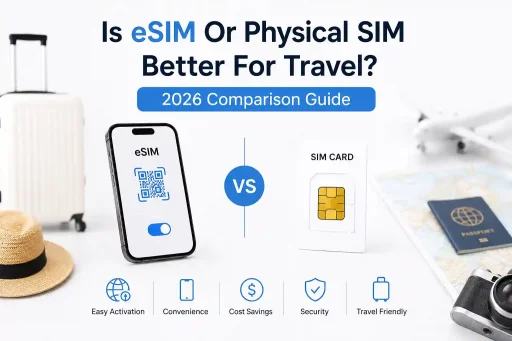


Is eSIM or Physical SIM Better for Travel? 2026 Comparison Guide
For most international travelers in 2026, eSIM offers faster activation, easier carrier switching, and reduced physical risk—but physical SIMs still win in remote regions, with older devices, or when backup redundancy matters. Your best choice depends on destination, device compatibility, and how you handle connectivity contingencies.
Why This Question Keeps Coming Up
You’re packing for a trip. Your phone works fine at home. But the moment you land abroad, everything changes: roaming fees spike, local data packs confuse you, and suddenly you’re debating whether to pop out your SIM card at the airport kiosk. The real frustration isn’t just cost—it’s reliability. Will your phone actually connect when you need it?
Most comparison articles stop at “eSIM is newer, so it’s better.” That’s not helpful. The truth lives in the details: how carriers provision profiles, how devices handle network registration during roaming, and what happens when QR codes fail at 2 AM in a foreign terminal.
How eSIM and Physical SIM Actually Work (At the Network Level)
Both technologies authenticate your device to a mobile network, but their provisioning paths diverge significantly.
Physical SIM: The Established Path
A physical SIM contains a pre-loaded ICCID and carrier-specific keys. When inserted, the device reads the IMSI, sends an authentication request to the nearest tower, and the carrier’s HSS (Home Subscriber Server) validates credentials. Simple, deterministic, and largely universal—even on budget phones from 2018.
eSIM: Remote Provisioning, Added Complexity
eSIM uses the GSMA’s Remote SIM Provisioning (RSP) architecture. Instead of a pre-loaded profile, your device downloads a carrier profile over-the-air via SM-DP+ (Subscription Manager Data Preparation). This requires:
- A compatible device with LPA (Local Profile Assistant)
- Stable data during activation (Wi-Fi or existing cellular)
- Carrier support for your device’s EID in their provisioning system
At the network level, this adds handshake steps. If any link fails, DNS resolution to the SM-DP+, certificate validation, or APN configuration—the profile won’t activate, even if the QR code scans perfectly.
Real-World Travel Scenarios: Where Each Shines
Testing isn’t theoretical. During field validation at London Heathrow Terminal 5, an iPhone 15 Pro with a pre-loaded eSIM from a regional EU provider was activated within 90 seconds of landing. The same device, using a physical SIM from a different carrier, required manual APN entry and two reboots before data worked. Context matters.
| Scenario | eSIM Advantage | Physical SIM Advantage |
|---|---|---|
| Multi-country Europe trip | Switch carriers via app without swapping cards; avoid losing tiny SIMs | Some regional discount carriers still don’t support eSIM provisioning |
| Remote areas (Andes, Southeast Asia islands) | Remote areas in the Andes and Southeast Asian islands offer unique advantages. | Local vendors reliably stock physical SIMs; no dependency on activation of Wi-Fi |
| Device failure or loss | Profile can be remotely disabled; re-download on replacement device | A physical card can be moved instantly to any unlocked phone |
| Backup connectivity | Store multiple profiles; toggle between them in settings | Carry a spare physical SIM as a true offline backup |
A recurring edge case appears during international transit: when a device attempts to register on a partner network before the eSIM profile fully provisions. The result? “No service” despite a strong signal. Physical SIMs avoid this by completing authentication before leaving the home network.
Carrier Behavior and Compatibility: The Hidden Variables
Not all eSIM implementations are equal. Carrier provisioning systems vary in how they handle:
- EID whitelisting: Some carriers only accept profiles for devices pre-registered in their system. Buying an eSIM from a third-party provider doesn’t guarantee your EID is recognized by local partner networks.
- APN auto-configuration: Physical SIMs often push APN settings via OTA. eSIM profiles may require manual entry, especially with MVNOs. If data doesn’t work post-activation, APN mismatch is the most common culprit.
- Roaming agreements: An eSIM from Provider A may roam on Network X in Country Y, but a physical SIM from the same provider might use a different partner due to legacy routing rules. This isn’t visible to the user until the connection fails.
At the network level, this becomes more noticeable during roaming. A device with an eSIM may register on a 4G-only partner while a physical SIM from the same carrier accesses 5G, simply because the provisioning profile lacks the newer network selection parameters.
Troubleshooting That Actually Works (And Why)
Generic advice like “restart your phone” misses the technical context. Here’s what to try when connectivity fails, with the underlying reason:
| Issue | Action | Why It Works |
|---|---|---|
| eSIM shows “Activating…” indefinitely | Toggle Airplane mode for 10 seconds, then retry | Forces the LPA to renegotiate the TLS session with the SM-DP+ server, clearing stalled handshakes |
| Data works, but MMS fails | Manually verify MMSC and APN type fields | eSIM profiles sometimes omit MMS-specific APN parameters; physical SIMs typically include them by default |
| Phone registers, but no internet | Disable “Data Roaming” toggle, wait 15 seconds, re-enable | Triggers a fresh PDP context activation request with updated roaming flags |
| QR code won’t scan or is rejected | Use the carrier’s app-based activation or manual code entry | QR parsing can fail under low light or screen glare; manual entry bypasses camera dependency |
One limitation often overlooked: eSIM profile deletion isn’t always immediate on the carrier side. If you remove a profile and re-download it within 24 hours, the SM-DP+ may return a cached, outdated configuration. Wait or contact support to force a fresh profile generation.
What Most eSIM Travel Guides Skip
The surprising part is how differently identical phones behave across roaming agreements. Two iPhone 15s, same eSIM provider, same airport: one connects instantly, the other stalls. Why?
Carrier provisioning isn’t just about the profile—it’s about the device’s EID, the SM-DP+ server location, and the local network’s RSP compatibility. Some networks in Southeast Asia still use legacy RSP implementations that timeout during profile download if the device’s initial attach uses 5G NSA. The fix? Temporarily lock the device to 4G/LTE during eSIM activation.
Another edge case: dual-SIM devices. When both a physical SIM and eSIM are active, the device’s modem firmware decides which profile handles data by default. This isn’t always user-configurable. In testing, some Android devices defaulted to the physical SIM for data even when the eSIM was set as primary—requiring a full reboot to re-prioritize.
At first glance, the setup process seems straightforward. The complexity usually appears once regional carrier provisioning enters the picture.
Video Credit: App Unbox
Device Compatibility Checklist for 2026 Travel
Before relying on eSIM, verify these often-missed requirements:
- iOS: iPhone XS or newer, iOS 15+ for multi-profile management. Older versions support eSIM but lack profile switching UI.
- Android: Pixel 3+ or Samsung S20+ with carrier firmware. Many mid-range Android phones sold in Asia lack LPA support despite having eSIM hardware.
- Unlocked status: Carrier-locked phones may reject third-party eSIM profiles even if the hardware supports it. Check lock status in settings before travel.
- Regional variants: Some phone models (e.g., certain Xiaomi or Oppo units) disable eSIM in specific markets due to local regulations. Verify your exact model number.
Pro tip: Screenshot your eSIM activation QR code and save the manual activation code. If the camera fails or the code expires, you’ll need the fallback option—and carrier support response times vary widely after hours.
When Physical SIM Still Wins (And Why That’s Okay)
Despite eSIM’s momentum, physical SIMs retain practical advantages:
- Zero-dependency activation: No Wi-Fi, no app, no QR scan. Insert and go—critical in areas with spotty connectivity.
- Universal fallback: If your phone dies, any unlocked device accepts a physical SIM. eSIM recovery requires a compatible, charged replacement device.
- Vendor flexibility: Airport kiosks in Bangkok, Istanbul, or Nairobi still primarily stock physical SIMs. Negotiating a local data plan is often faster in person.
- Cost transparency: Physical SIM pricing is usually displayed upfront. eSIM providers sometimes bury roaming surcharges in terms of service.
For travelers prioritizing simplicity over cutting-edge convenience, carrying a spare physical SIM as backup isn’t outdated—it’s prudent risk management.
FAQ: Quick Answers for Common Travel Concerns
Can I use both an eSIM and a physical SIM while traveling?
Yes, most modern smartphones support Dual SIM Dual Standby (DSDS). You can keep your home number on a physical SIM for calls/SMS and use an eSIM data plan abroad. Just ensure “Data Roaming” is enabled only for the eSIM profile to avoid unexpected charges.
What if my eSIM activation fails after landing?
First, connect to the airport Wi-Fi and retry activation. If it still fails, manually enter the activation code (if provided). As a last resort, purchase a local physical SIM as backup; most eSIM providers offer partial refunds for activation failures if contacted within 24 hours.
Do eSIMs work in remote areas like national parks or islands?
Coverage depends on the carrier’s roaming partners, not the SIM type. However, physical SIMs from local providers often have better rural coverage than international eSIMs. For remote travel, research which local carriers serve your destination and verify eSIM support before relying on it.
How do I switch back to my home SIM after travel?
For eSIM: disable the travel profile in Settings > Cellular. For physical SIM: reinsert your home SIM. If your phone doesn’t recognize it immediately, restart to refresh network registration. Keep your eSIM travel profile installed—it doesn’t incur charges when disabled.
Final Recommendation: Match the Tool to Your Trip
There’s no universal winner. Instead, align your choice with travel patterns:
Choose eSIM if: you visit multiple countries, value app-based management, travel with newer devices, and have reliable Wi-Fi access during activation. Ideal for business travelers, digital nomads, and short-term tourism in well-connected regions.
Choose physical SIM if: you’re visiting remote areas, using older or budget devices, prefer in-person vendor support, or want a true offline backup. Best for adventure travel, long-term stays in one region, or when cost transparency is critical.
Many experienced travelers do both: activate an eSIM for primary data and carry a physical SIM as a contingency. The marginal cost is low; the peace of mind is high.
At the end of the day, connectivity isn’t about the SIM format—it’s about minimizing friction when you’re far from home. Test your setup before departure. Save activation codes offline. And always have a fallback plan. Because when you’re standing in a foreign airport at midnight, “mostly works” isn’t good enough.