
Short answer
If you are asking what size SIM card do I need, the answer for nearly every phone sold since 2015 is a nano SIM, 12.3 by 8.8 mm. CheapSimCard gives the odds as nine in ten for a phone made in the last decade.
Odds are not a check, though, and a wrong guess costs you a second trip to the shop or a day waiting on a replacement card by post. The check below takes about ten seconds, and you do it at the counter, before you pay. You measure the tray, not the card, and the number you get is the size you buy.
The check works because the tray is the phone in your hand. A model lookup can be wrong. A shop assistant can be wrong. The tray cut-out cannot be wrong, because it is the hole the card has to fit.
Our lookup flow, for the phone you already own, is in the Day-2 guide: Your Phone Takes One SIM Size. Find It in Seconds. This post is for the moment before you buy, when the phone is in your pocket and the card is still in the shop.
Measure the tray, not the card
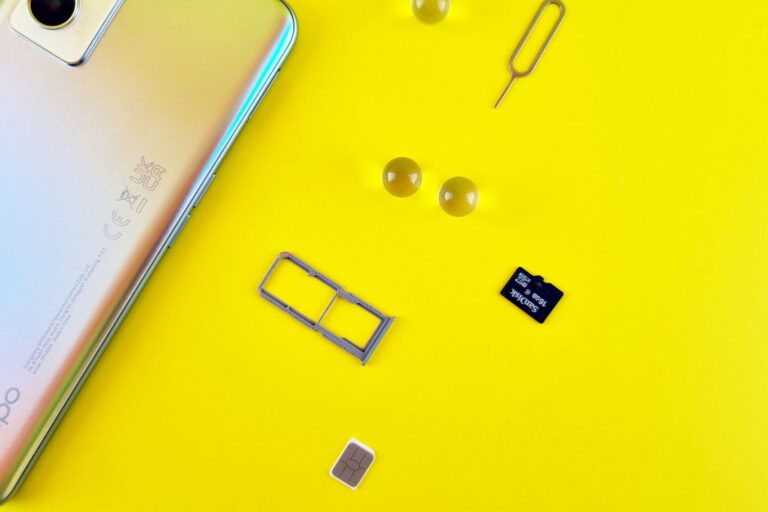
Pop the tray out. Use the eject tool that came with the phone, or a straightened paperclip, and push it gently into the pinhole on the edge of the phone until the tray slides out. Do not use a needle. A needle is thin enough to miss the release and damage the inside of the slot.
Now look at the cut-out in the tray, the shaped hole the card sits in. Measure its long edge.
A ruler works. The edge of a bank card works if you know its length, but a ruler is simpler and every phone shop has one behind the counter. Ask for it.
Three numbers cover every phone with a tray.
Step 1, about 5 seconds: pop the tray and find the cut-out. The cut-out is the recessed shape in the middle of the tray.
On a dual-SIM tray there are two cut-outs, one on each side. Measure the one you plan to use. The cut-outs on one tray can be different sizes, so do not assume the second slot matches the first.
Step 2, about 5 seconds: measure the long edge and read the size. A long edge of about 12 mm means nano. A long edge of 15 mm means micro. A long edge of 25 mm means standard.
The numbers come from ETSI TS 102 221, the specification behind the SIM sizes: nano is 12.3 by 8.8 mm, micro is 15 by 12 mm, and standard is 25 by 15 mm. Smarty lists the same three numbers, and its one-line version of this test measures the card already in the phone.
The tray version is better, because the card in your phone might itself be the wrong size, sitting in an adapter. The tray has no adapter in it. It tells you what the phone wants, not what the last owner put in.
Two readings need a second look. First, if the long edge measures about 12 mm but the cut-out looks much wider than the card, check you are measuring the cut-out and not the whole tray. The tray is bigger than the hole in it. Measure the hole.
Second, if there is no tray and no pinhole on the edge of the phone, there is no slot, and no card of any size fits. The phone takes eSIM only. Apple lists the US iPhone 14 and later models as eSIM only, and the same applies to a US Pixel 10 or 11 flagship. If that is your phone, the size question is over before it starts, and the shop should be selling you a QR code, not a card.

Why measure the tray instead of the card? Because the card lies to you in two ways. A triple-cut card still in its frame measures 25 by 15 mm whatever size you plan to press out of it, so measuring the frame tells you nothing.
And a card already pressed out to nano still sits in a micro frame in some phones, held by an adapter you forgot was there. The tray is the only part that never changes shape. It is also the part the shop can check with you. Put the tray on the counter next to the new card, and the mismatch is visible before money changes hands.
One more check belongs here, before the size. Make sure the phone is not locked to another carrier. A locked phone rejects another carrier’s SIM whatever its shape, so a perfect size match still leaves you with no signal.
On iPhone, go to Settings, then General, then About, and look for Carrier Lock. On Android, ask your carrier directly. Do this before you buy, not after, because a locked phone is a carrier problem and a wrong size is a shop problem, and you want to know which one you have while you are still standing at the counter.
The card in your hand tells you too
The tray test settles the size. The card-in-hand check catches the mistakes the tray test misses, and it needs no tools at all. Hold the new card next to the card that came out of your phone. If the two cards are the same size, you are done.
If they are not, stop and work out which one is right before you press anything out or push anything in. The old card is the record of what worked. Trust it over the packet.
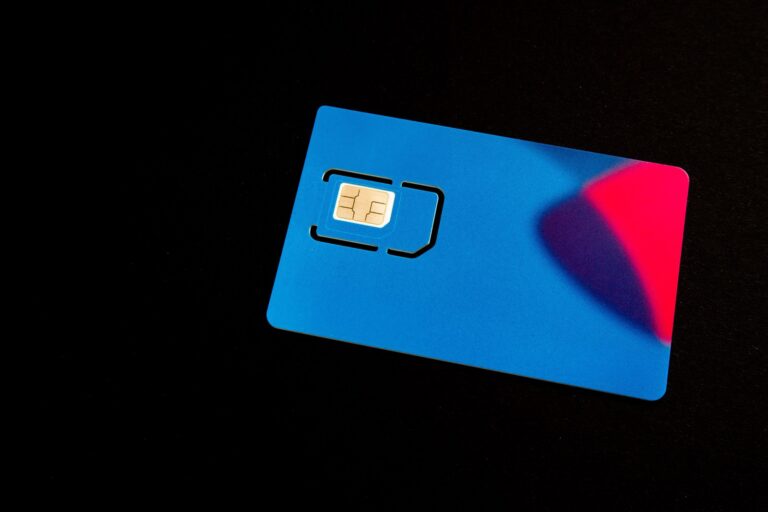
Most travel SIMs arrive as triple-cut cards, one card with all three sizes pre-cut into it. The snap-out lines are the sizes, nested inside each other like frames. The outermost frame is the standard size. Press it out and you hold a standard SIM.
Inside that sits the micro outline, and inside the micro outline sits the nano. Press out only the size your phone takes. CheapSimCard puts the warning plainly: "Snap carefully. Once the nano is out, the micro frame around it is gone too." You cannot snap a size back into a frame that holds.
Once the nano is out, the micro and standard frames are scrap.
Read the lines before you press. The perforations run around each size, and the smallest outline is easy to miss in a dim shop. Hold the card up to the light and trace the nano outline with a fingernail. If you cannot see three outlines, ask the shop assistant to point them out.
A card with one outline is a single-size card, and if that size is wrong, no amount of pressing fixes it. Check the product page for the words triple-cut or 3-in-1 before you order online. If the page does not say it, message the seller and ask which sizes pop out of the card.
A single-size card ordered online is discovered at the airport, where it cannot be fixed. A triple-cut card is discovered in the shop, where it can.
Then check the fit, still at the counter. Put the pressed-out card in the tray and look at it. A card that fits sits flat, with the gold contacts showing and the notched corner lined up with the notch in the tray. A card that rocks, sits proud of the tray, or needs a push to stay in place is the wrong size.
Do not push the tray back into the phone to test it. A card that is not sitting flat can jam inside the phone, and a jammed card is a repair shop job. The tray on the counter tells you everything the phone would, without the risk.
Keep the frame and the packet until the SIM works. The frame carries the number printed on it, and the packet carries the activation code. If the card turns out to be faulty, the shop wants the frame back with the card.
The four sizes, with the thickness that matters
Physical SIM sizes are set by ETSI, the European standards body behind the SIM specification (ETSI TS 102 221). The chip is the same on all of them. Only the plastic around it changes, which is why one card can be sold as a triple-cut card that pops out in three sizes.
The table gives the dimensions, the thickness, and the first phone for each size. The thickness column is the one many guides leave out, and it is the one that decides whether a cut card jams.
| SIM size | Also called | Dimensions | Thickness | First used |
|---|---|---|---|---|
| Standard | Mini, 2FF | 25 x 15 mm | 0.76 mm | 1996 |
| Micro | 3FF | 15 x 12 mm | 0.76 mm | 2003 |
| Nano | 4FF | 12.3 x 8.8 mm | 0.67 mm | 2012, iPhone 5 |
| eSIM | Embedded SIM | No card | No card | Built into the phone |
The standard SIM belongs to phones from before about 2012. The micro SIM belongs to phones from roughly 2010 to 2014. The nano SIM is the size nearly every phone with a tray takes today.
An eSIM is a chip soldered into the phone, not a size at all. You download a plan to it instead of pushing in a card. The full comparison, with face area and the cut, adapt or replace detail, is in our nano vs micro guide: Nano vs Micro SIM: Which One Fits Your Phone?.
The thickness numbers come from the same ETSI specification, as cited in the SimOptions guide (updated 27 October 2026) and CheapSimCard. Standard and micro cards are 0.76 mm thick. Nano cards are 0.67 mm thick.
That 0.09 mm gap is small on a ruler and large in a tray. A micro SIM cut down to nano size keeps its 0.76 mm thickness, so it can jam in a 0.67 mm tray even when the outline is right. The outline is only half the fit. The thickness is the other half, and no pair of scissors fixes it.
Too small, too big, or no tray at all
A wrong size comes in three kinds, and each one has a different fix. Sorting out which one you have is the first step, and the tray test already did it for you.
Too small. Your card is smaller than the slot. A nano SIM in a micro slot, or a micro SIM in a standard slot. This is the fixable one.
A plastic adapter is a frame that holds the small card in the big slot, and a snug one works. Smarty says the same: a snug plastic adapter lets the card sit in the larger slot, and a loose one can jam. The word to hold onto is snug.
Put the card in the adapter, then put the adapter in the tray, and check it sits flat with no rocking. If it rocks, the adapter is the wrong fit, and pushing it into the phone turns a small problem into a stuck adapter inside the phone.
A replacement card in the right size is more reliable than an adapter for long-term use, and CheapSimCard says the same: use an adapter as a stopgap, and ask your carrier for a card in the right size for the long term. If you are travelling, an adapter gets you through the trip. If you are home, get the replacement.
Too big. Your card is bigger than the slot. A micro SIM for a nano phone, or a standard SIM for a micro phone. There is no adapter for this direction, because an adapter only makes a small card bigger.
The fix is a replacement card in the right size. Ask the shop first, while you are still there, because a shop that sold you the wrong size will usually swap it on the spot. After that, ask your carrier.
Connection Technologies says all major UK networks do a SIM swap for free. Outside the UK, ask your carrier what a replacement costs before you assume it is free. Do not assume, and do not pay a shop to cut it when a free swap exists.
A replacement keeps your number. The number lives on the account, not on the plastic, so a new card in the right size does not change your number.
Cutting. Cutting a big card down to a small one is the fix every page-1 guide mentions and none of them recommends, and they are right not to. Apple warns that a SIM cut or modified to fit a different device might not connect to cellular networks, and that damage to the tray or phone from a modified SIM is not covered by the Apple hardware warranty.
The go/no-go test is simple, and it comes before any blade touches the card. Lay the card down and mark the outline of the size you need. If the outline crosses the gold contacts, stop. The gold area is the chip, and a cut through it kills the card.
If the outline stays in clear plastic, the cut is physically possible, and still not a good idea, because the thickness stays 0.76 mm against a 0.67 mm tray. A SIM cutter tool cuts cleaner than scissors, and it still leaves the thickness wrong. Cutting is the last resort, for a card you cannot replace and a phone you need working today, and even then a replacement is the better spend of the same hour.
No tray at all. Your phone has no slot. That is a different kind of phone, not a wrong size. A US iPhone 14 or later, or a US Pixel 10 or 11 flagship, takes eSIM only.
No adapter helps, no cutting helps, and no replacement card helps, because there is nowhere to put a card. The fix is to activate an eSIM, through your carrier’s app or a QR code. If the shop sold you a physical SIM for a phone with no tray, take it back. The shop sold you the wrong product, not the wrong size.
Bought the wrong size? Do it in this order
You are past the counter now, and the card in your hand is the wrong size. Do the steps in this order. Each one is cheaper and faster than the one after it, and skipping ahead is how a ten-minute fix becomes a repair bill.
Step 1: stop, and do not force anything. Do not push a card that does not sit flat into the phone. Do not push a tray that does not slide in smoothly. Do not cut the card yet.
A card that is forced in can jam, and a jammed card can damage the contacts inside the phone. The phone is worth more than the card. Leave the card out.
Step 2: check whether the card is still in its frame. If you bought a triple-cut card and you pressed out the wrong size, the frame is gone, and you cannot snap it back. If you have not pressed anything out yet, press out the right size now. The frame is still good.
This is the only free fix on the list, and it only exists before the first press.
Step 3: if the card is too small, try an adapter, but only a snug one. Put the card in the adapter, put the adapter in the tray, and check it sits flat. If it rocks or slides, do not use it.
A loose adapter inside a phone is the most common way a wrong size turns into a repair shop visit. If you have no adapter, a phone accessory shop sells them for the price of a coffee, and a carrier shop will often hand you one. If the adapter fits, use it as a stopgap and get a replacement card when you are home.
Step 4: if the card is too big, or there is no adapter that fits, get a replacement. Go back to the shop first. Then call your carrier.
All major UK networks swap a SIM for free, according to Connection Technologies. Ask for a multi-size card if they offer one, so the next phone you buy does not start this again. Your number stays the same. Activation can take minutes, so ask how long to wait before the new card works, and do not throw the old card away until the new one has signal.
Step 5: if something is already stuck, go to a repair shop. A card or an adapter jammed inside a phone is not a DIY job. Do not dig at it with tweezers, a pin, or a paperclip. You can bend the contacts inside the slot, and bent contacts are a bigger repair than a stuck card.
A repair shop removes jammed cards every week. Tell them exactly what is stuck in there, a cut card, an adapter, or a card in the wrong size, so they bring the right tool the first time.
That is the whole rescue. Stop, check the frame, adapter if it fits, replacement if it does not, repair shop if something is stuck. The order matters because each step costs more than the one before it, and the free steps only work if you do them first.
What size SIM card do I need, and three more questions
What SIM size do I need?
Measure the long edge of your tray cut-out. About 12 mm means nano, 15 mm means micro, 25 mm means standard. Nearly every phone sold since 2015 takes a nano SIM, 12.3 by 8.8 mm. If your phone has no tray at all, it takes eSIM only.
Can I use a nano SIM in a micro SIM slot?
Yes, with a plastic adapter, and only if the adapter fits snugly. A replacement card in the right size is more reliable than an adapter for long-term use. A micro SIM will not fit a nano slot on its own.
What if I pressed out the wrong size from a triple-cut card?
Ask the shop for a replacement card or an adapter. Once the nano is pressed out, the micro frame around it is gone, so you cannot snap it back. Check the fit in the tray before you leave the counter.
Do I need to know the size if I use an eSIM?
No. An eSIM has no size, because there is no card. The size question only matters for a physical SIM. If your phone has both a tray and an eSIM, you can keep your home number on the physical SIM and add a travel eSIM for data.
Sources and check date
Last verified: 18 November 2026. The four sizes, their dimensions, the 0.76 mm and 0.67 mm thickness figures, and the 2012 approval come from ETSI TS 102 221, as cited in the SimOptions guide (updated 27 October 2026) and CheapSimCard (ETSI TS 102 221 read 9 November 2026). The iPhone model list, the US iPhone 14 and later eSIM-only rule, and the Apple warning on modified SIMs come from Apple Support, "Learn which size SIM card your iPhone or iPad uses" (published 5 November 2026). The first-used years (standard 1996, micro 2003, nano 2012) come from Smarty, "SIM card sizes: which one does your phone need?" (published 13 October 2026, updated 18 November 2026).
The "measure the SIM already in it" line, the snug-adapter warning and the loose-adapter jam risk come from Smarty.
The free SIM swap from all major UK networks comes from Connection Technologies, "SIM Card Sizes: Nano vs Micro vs Standard" (updated 1 September 2026). The "nine times in ten" line, the "snap carefully" line about triple-cut cards, and the adapter-as-stopgap advice come from CheapSimCard.
The go/no-go chip test (if the cut outline crosses the gold contacts, stop) is the draft’s own practical test, drawn from Apple’s warning that a modified SIM might not connect, not a figure from any source. The 10-second timing is the draft’s own timing, not a stopwatch measurement. If a model in this guide has been replaced by a newer release since this check, the maker’s spec page for that model is the final word.
Checked 18 November 2026.
Sources
- ETSI TS 102 221 (PDF), the SIM specification behind the four sizes
- SimOptions, Types of SIM Cards Explained (updated 27 October 2026)
- CheapSimCard, Nano SIM Card and Other SIM Card Sizes, Plus Adapters
- Apple Support, Learn which size SIM card your iPhone or iPad uses (published 5 November 2026)
- Smarty, SIM card sizes: which one does your phone need? (published 13 October 2026, updated 18 November 2026)
- Connection Technologies, SIM Card Sizes: Nano vs Micro vs Standard (updated 1 September 2026)
- Sim-Finder, SIM Card Sizes and How to Convert Between Them (thickness table: 0.76 mm for 2FF and 3FF, 0.67 mm for 4FF)