Short answer
Your phone takes one SIM size, and for nearly every phone sold since 2015 that size is nano, 12.3 by 8.8 mm. The exceptions are older phones, a few tablets and hotspots, and new phones sold in the US that have no tray at all. You do not need a table of 19 phones to find your answer. The flow below gives it in about a minute: find your model name, match it to a rule, and confirm it with the tray. If your phone is a US iPhone 14 or later, the answer is no card at all, and Section 5 explains what that means for your trip.
The 60-second lookup flow
Do the steps in order. Each one has an answer that sends you to the next step or ends the search. The times are the draft’s own timing for the steps as written, not a stopwatch test on one phone.
Step 1, about 10 seconds: find your model name. On iPhone, go to Settings, then General, then About, and read the model name. On Samsung, Pixel and most other Android phones, go to Settings, then About phone, and read the model name. If the name is not there, the box the phone came in and the receipt both list it. Write it down, because the next step needs the exact model, not just the brand. A Galaxy S5 and a Galaxy S6 take different cards, and they look alike.
Step 2, about 20 seconds: match the model to a rule. Start with the three rules that cover most phones in use today.
- iPhone 5 or later takes a nano SIM. iPhone 4 and 4s take a micro SIM. The original iPhone, iPhone 3G and iPhone 3GS take a standard SIM. Apple lists every model on its support page, “Learn which size SIM card your iPhone or iPad uses”, published 5 November 2026.
- Samsung Galaxy S6 or later takes a nano SIM. Galaxy S5 and earlier take a micro SIM. The change happened with the S6 in 2015, so a Galaxy S5 and a Galaxy S6 take different cards even though they look alike.
- Every Google Pixel takes a nano SIM, from the first Pixel to the Pixel 11. The only split is the tray: a US Pixel 10 or 11 flagship has no tray and takes eSIM only, while the same model bought elsewhere keeps a nano SIM tray.
If your phone is a OnePlus, Xiaomi, Motorola, Huawei, Sony or Nokia, skip to Section 3, which gives the model where each of those brands changed size. If your phone is another brand, or a model you cannot place, go to Step 3.
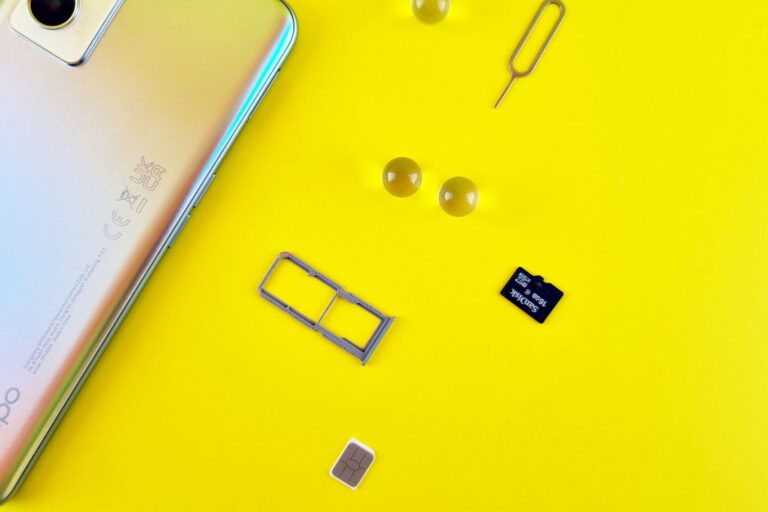
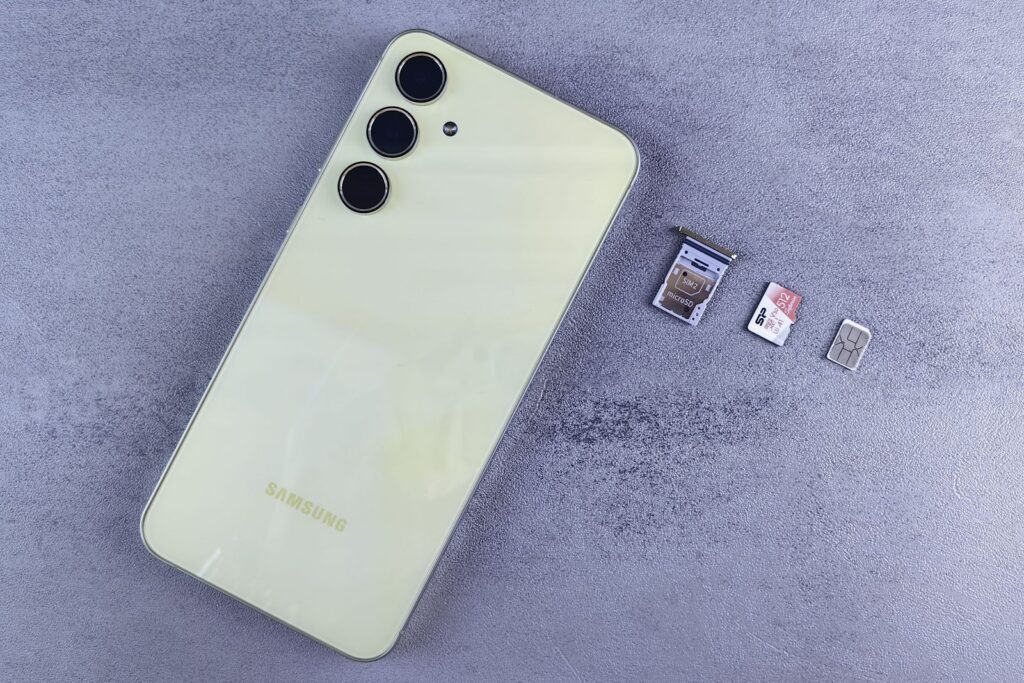
Step 3, about 10 seconds: confirm with the tray. Pop the tray out with the eject tool or a straightened paperclip and look at the cut-out shape. A nano slot is barely larger than a fingernail. A micro slot is visibly bigger. If there is no tray and no pinhole on the edge of the phone, there is no slot, and no card of any size fits. The phone takes eSIM only. On a phone with a tray, the cut-out is the final word, even if a guide or a shop assistant says otherwise.
Step 4, about 20 seconds, only if the first three steps disagree: read the spec sheet. Search for your exact model name plus “SIM type” and open the spec page. GSMArena, PhoneArena and PhoneMore all list a SIM field for each model, and the maker’s own spec page lists it too. If the spec sheet and the tray disagree, trust the tray. The tray is the phone in your hand.
That is the whole flow. Four steps, one answer, and no table to scan. The sections below exist for the cases the flow sends you to: the other brands, the card in your hand, and the devices that are not phones.
The four sizes, in one short table
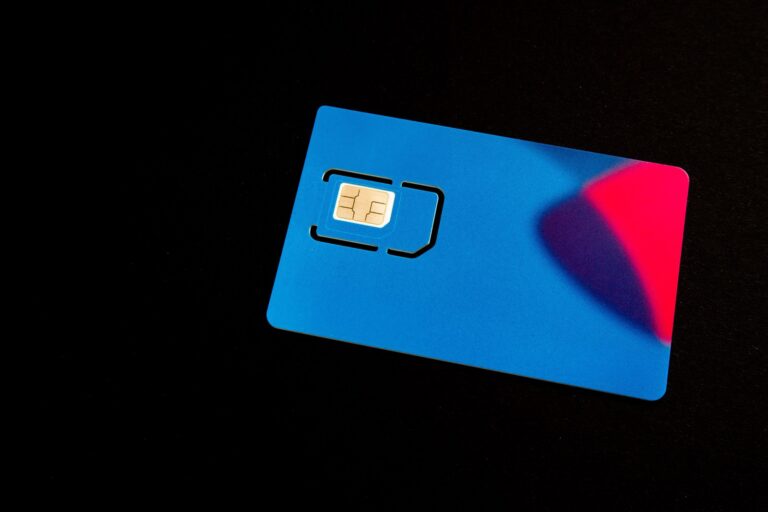
Physical SIM sizes are set by ETSI, the European standards body behind the SIM specification (ETSI TS 102 221). The chip is the same on all of them. Only the plastic around it changes, which is why one card can be sold as a triple-cut card that pops out in three sizes. The full comparison, with thickness and face area, is in our nano vs micro guide: Nano vs Micro SIM: Which One Fits Your Phone?.
| SIM size | Also called | Dimensions | First used |
|---|---|---|---|
| Standard | Mini, 2FF | 25 x 15 mm | 1996 |
| Micro | 3FF | 15 x 12 mm | 2003 |
| Nano | 4FF | 12.3 x 8.8 mm | 2012, iPhone 5 |
| eSIM | Embedded SIM | No card | Built into the phone |
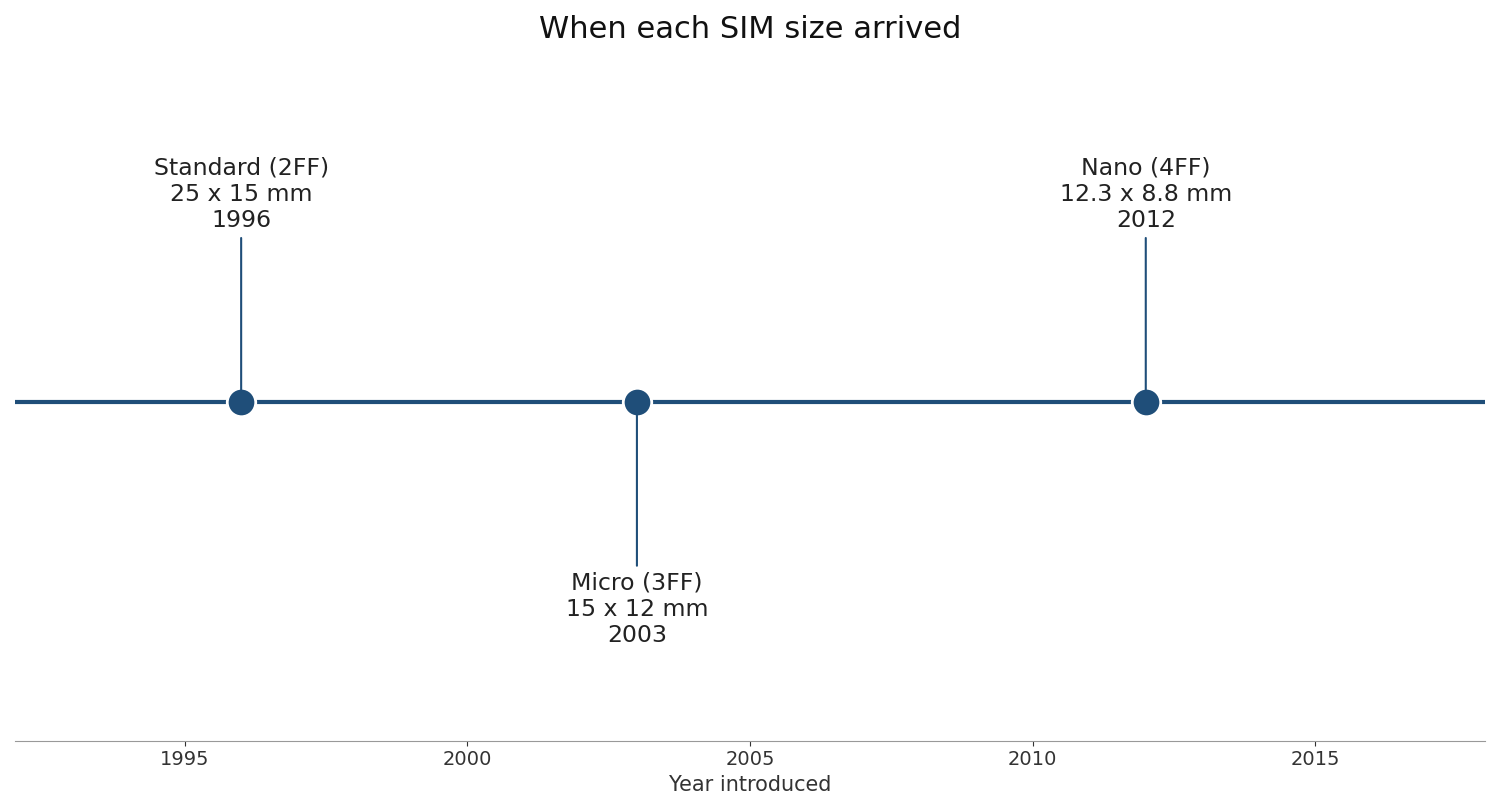
The standard SIM belongs to phones from before about 2012. The micro SIM belongs to phones from roughly 2010 to 2014. The nano SIM is the size nearly every phone with a tray takes today. The eSIM is not a size at all. It is a chip soldered into the phone, and you download a plan to it instead of pushing in a card. If your phone supports eSIM, the size question disappears for that line. Our eSIM activation guide walks through the setup: Activate Your eSIM Before You Fly: 5-Minute Setup.
The brands the big guides skip
The guides on page 1 cover iPhone, Samsung and Pixel and stop there. That leaves out the phones millions of travellers carry. The table below gives the model where each of six more brands changed size. The rows come from GSMArena, PhoneArena and PhoneMore spec tables, and from OnePlus’s own spec page for the OnePlus 2, all read on 17 November 2026. Where a brand has a quirk, the note says so.
| Brand | Last model on micro SIM | First model on nano SIM | Note |
|---|---|---|---|
| OnePlus | One (2014) | 2 (2015) | OnePlus lists the 2 as “2 slots, Nano SIM”. Every OnePlus since takes nano. |
| Xiaomi | Mi 4 (2014) | Mi 5 (2016) | The Mi 5 takes two nano SIMs. Some Redmi models mix sizes, so check the exact model. |
| Motorola | Moto G4 (2016) | Moto G5 (2017) | The G4 shipped with a nano-to-micro adapter in the box, so a G4 owner with a nano SIM can use the included adapter. |
| Huawei | Ascend P7 (2014) | P8 (2015) | The single-SIM P7 takes micro. The dual-SIM P7 pairs one micro SIM with one nano SIM. |
| Sony | Xperia Z2 (2014) | Xperia Z3 (2014) | The change happened inside one year. A Z2 and a Z3 take different cards. |
| Nokia | Lumia 920 (2012) | Lumia 735 (2014) | The Lumia 930 and Lumia 950 take nano as well. |
Three things to take from that table. First, the changeover year is not the same for every brand. Sony changed in 2014, Motorola as late as 2017. The “after 2014 takes nano” rule fails on a Moto G4, which is a 2016 phone on micro. Second, a model name is not enough on its own for Huawei and Xiaomi, because some of their phones mix sizes across slots. Check the exact model and, for dual-SIM phones, both slots. Third, if your phone is not in this table and not an iPhone, Samsung or Pixel, Step 4 of the flow is your answer: the spec sheet for your exact model.
The triple-cut card at the counter
Most travel SIMs now arrive as triple-cut cards, one card with all three sizes pre-cut into it. You press out the size your phone needs. That sounds simple, and it is, until you press out the wrong one. Do the check below before you leave the counter, because it takes ten seconds in the shop and a replacement card takes a day by post.

Press out only the size your phone takes. Once the nano is out, the micro frame around it is gone too, and you cannot snap it back into a frame that holds. CheapSimCard puts it plainly: “Snap carefully. Once the nano is out, the micro frame around it is gone too.” If you pressed out the wrong size, ask the shop for a replacement card or a plastic adapter. An adapter is a frame that holds the small card in the big slot, and a snug one works. Do not rely on pressing a size back into the frame.
Check the card before you leave the counter. Put the pressed-out card in the tray and look at the fit. A nano card in a nano tray sits flat with the gold contacts showing. A card that rocks or sits proud of the tray is the wrong size. At the airport, check the card before you leave the kiosk. A kiosk that sells you a micro SIM for a nano phone has no adapter on the shelf more often than you would hope.
When you order a travel SIM before you fly, check the product page for the words triple-cut or 3-in-1. If the page does not say it, message the seller and ask which sizes pop out of the card. If the card is a single size and it is the wrong one, you find out at the airport. If it is triple-cut, you find out in the shop, where it can still be fixed.
Not just phones: tablets, watches and hotspots
The size question does not stop at phones. Three other devices travellers carry have their own answers, and page-1 guides do not cover any of them.
iPad. The first four iPads take a micro SIM. The iPad Air, from 2013 onward, takes a nano SIM, and so does every iPad since, until the newest models. Apple lists the split on its support page, published 5 November 2026: the iPad Pro 13-inch and 11-inch with M4 or M5 chips, the iPad Air 13-inch and 11-inch with M2, M3 or M4 chips, the iPad with A16, and the iPad mini with A17 Pro or A20 Pro are eSIM only in the Wi-Fi plus Cellular versions. The iPad Pro 12.9-inch 3rd to 6th generation, the iPad Air 3rd to 5th generation, the iPad 7th to 10th generation and the iPad mini 5th and 6th generation take a nano SIM plus eSIM. If you are buying a travel SIM for an iPad, check the model first, because a new iPad may have no tray at all.
Apple Watch. A cellular Apple Watch takes no card. Every Apple Watch sold as GPS plus Cellular uses a built-in eSIM, starting with the Series 3 in 2017, and there is no tray to open. GPS-only watches have no cellular radio at all, so they can never take a plan. The quickest tell is the Digital Crown: a cellular model has a thin red ring on the crown, and a GPS-only model leaves it plain. A travel eSIM bought for a phone does not work on a watch. The watch plan comes from your carrier, added through the Watch app on your iPhone.
Mobile hotspots. A hotspot takes a physical SIM, and the size depends on the model. The Netgear Nighthawk M6, the most common travel hotspot, takes a nano SIM and has no eSIM support. The slot sits under the back cover, beside the battery. Older hotspots vary, and some take a micro SIM, so check the spec sheet for your exact model before you buy a data SIM for it. The same rule as phones applies: the tray is the final word.
Wrong size? What to do
If the card is too small for the slot, a plastic adapter holds it in place. A snug one works. A loose one can jam in the tray and need a repair shop to remove. If the card is too big for the slot, ask your carrier for a replacement in the right size. A replacement keeps your number and costs little or nothing with most carriers. Do not cut the card. Apple warns that damage from a modified SIM is not covered by the Apple hardware warranty, and that a cut SIM may fail to connect. A cut micro SIM also stays 0.76 mm thick against a 0.67 mm tray, so it can jam even when the outline is right. The full cut, adapt or replace comparison, with the thickness warning, is in our nano vs micro guide: Nano vs Micro SIM: Which One Fits Your Phone?.
One check comes before the size. Make sure the phone is unlocked. A locked phone rejects another carrier’s SIM whatever its shape, so do not leave unlocking to the day before you fly. On iPhone, go to Settings, then General, then About, and look for Carrier Lock. On Android, ask your carrier directly.
Questions people ask
What SIM size does my phone take?
Run the flow at the top of this guide. Find your model name, match it to the rule for your brand, and confirm it with the tray. Nearly every phone sold since 2015 takes a nano SIM. iPhone 4 and 4s take micro. US iPhone 14 and later take no physical SIM at all.
How do I find my phone model?
On iPhone, go to Settings, then General, then About. On Samsung, Pixel and most other Android phones, go to Settings, then About phone. The box and the receipt list the model too.
Does my iPad take a SIM?
The first four iPads take a micro SIM. The iPad Air from 2013 onward takes a nano SIM. The newest iPad Pro, iPad Air, iPad and iPad mini models with cellular are eSIM only and have no tray.
Can I use a nano SIM in a micro SIM slot?
Yes, with a plastic adapter, and only if the adapter fits snugly. A replacement card in the right size is more reliable than an adapter. A micro SIM will not fit a nano slot on its own.
What if I pressed out the wrong size from a triple-cut card?
Ask the shop for a replacement card or an adapter. Once the nano is pressed out, the micro frame around it is gone, so you cannot snap it back. Check the fit in the tray before you leave the counter.
Do I need to know the size if I use an eSIM?
No. An eSIM has no size, because there is no card. The size question only matters for a physical SIM. If your phone has both a tray and an eSIM, you can keep your home number on the physical SIM and add a travel eSIM for data.
Sources and check date
Last verified: 18 November 2026. The four sizes, their dimensions and the 2012 approval come from ETSI TS 102 221, as cited in the SimOptions guide (updated 27 October 2026) and CheapSimCard (ETSI TS 102 221 read 9 November 2026). The iPhone and iPad model lists come from Apple Support, “Learn which size SIM card your iPhone or iPad uses” (published 5 November 2026). The Samsung S5 to S6 changeover comes from Smarty, “SIM card sizes” (published 13 October 2026). The OnePlus 2 nano SIM comes from OnePlus’s own spec page. The OnePlus One micro SIM comes from GSMArena. The Xiaomi Mi 4 micro and Mi 5 nano rows come from GSMArena and PhoneMore spec tables. The Moto G4 micro and Moto G5 nano rows come from GSMArena and PhoneMore, and the G4 adapter in the box comes from Motorola’s own Moto G4 Getting Started Guide. The Huawei P7 micro and P8 nano rows come from GSMArena and PhoneArena. The Sony Xperia Z2 micro and Z3 nano rows come from GSMArena, PhoneArena and PhoneMore. The Nokia Lumia 920 micro and Lumia 735 nano rows come from GSMArena and Ubergizmo. The first four iPads taking micro SIM comes from SimOptions and CheapSimCard. The Apple Watch eSIM-only claim comes from US Mobile and d-esim guides to Apple Watch cellular. The Nighthawk M6 nano SIM comes from Dong Knows Tech and Powerful Signal. The “snap carefully” line about triple-cut cards comes from CheapSimCard. The Apple warranty warning on modified SIMs comes from Apple Support (published 5 November 2026). The 60-second flow is the draft’s own timing for the steps as written, not a stopwatch measurement. If a model in the tables has been replaced by a newer release since this check, the maker’s spec page for that model is the final word.
Sources
- ETSI TS 102 221 (PDF), the SIM specification behind the four sizes
- SimOptions, Types of SIM Cards Explained (updated 27 October 2026)
- CheapSimCard, Nano SIM Card and Other SIM Card Sizes, Plus Adapters
- Apple Support, Learn which size SIM card your iPhone or iPad uses (published 5 November 2026)
- Smarty, SIM card sizes: which one does your phone need? (published 13 October 2026)
- OnePlus, OnePlus 2 specifications (2 slots, Nano SIM)
- GSMArena, OnePlus One vs OnePlus X comparison (OnePlus One micro SIM row)
- Motorola, Moto G4 Getting Started Guide (iFixit-hosted PDF; “Your phone may come with nano SIM adapters”)
- US Mobile, How to Set Up eSIM on Apple Watch (Series 3, 2017, first with a built-in eSIM)
- d-esim, Apple Watch eSIM guide
- Dong Knows Tech, NETGEAR M6: Better 5G, Wi-Fi at a Higher Cost (SIM type Nano-SIM)
- Powerful Signal, Netgear Nighthawk M6
- Google Store, Pixel 9 technical specs (SIMs: Dual SIM, Single Nano SIM and eSIM)
- GSMArena, PhoneArena and PhoneMore spec tables for the Xiaomi, Motorola, Huawei, Sony and Nokia rows, and Ubergizmo for the Nokia Lumia 735 row (found via search results on 17 November 2026; no single page covers all five brands)